
An adult m3u playlist is not a special file format. It is an ordinary M3U — the same plain-text list your player uses for every other channel — that happens to contain 18+ entries. Understanding that one fact explains most of what people find confusing about it.
What an M3U file actually contains
An M3U is a text file. Each entry is two lines: one describing the channel, one giving the address the player should open. Stripped of the specifics, an entry looks like this:
Both Strong 8K IPTV and the Strong IPTV subscription offer the 18+ group as an optional add-on, off by default.
#EXTM3U
#EXTINF:-1 tvg-id="" tvg-logo="" group-title="FOR ADULTS",Channel Name
http://your-portal.example/live/USERNAME/PASSWORD/12345.ts
Two details in there explain nearly everything:
group-titleis what puts channels into categories. The adult category is a text label, nothing more — which is why it sorts alongside “SPORTS” or “UK” in your app.- The stream line carries your credentials in the URL itself. That is why sharing an m3u file is identical to sharing your account password, and why “free” lists behave the way they do.
Why public “adults playlist m3u” links die so fast
Because of that second point. A published playlist is a published login, and a line permits only one or two simultaneous streams. The sequence is always the same:
- Someone posts a working file.
- Hundreds of players connect using the credentials baked into every URL.
- The connection limit is hit and everyone, including the account’s owner, gets an error.
- The provider sees one account streaming from twenty countries and resets it.
- A new file is posted a few days later, and it repeats.
None of that is a conspiracy or a takedown. It is arithmetic: a two-slot line cannot serve a forum thread.
Getting a playlist that belongs to you
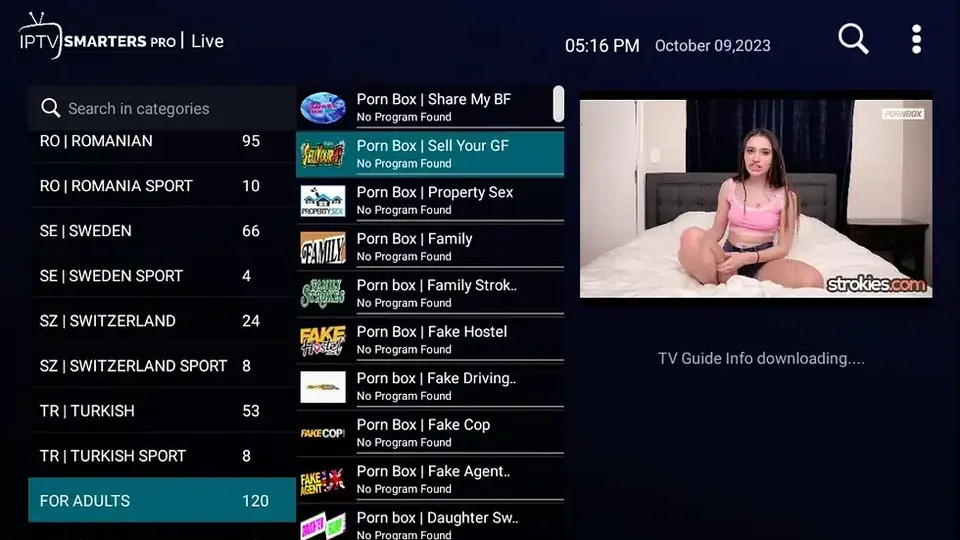
A Strong IPTV 8K line issues its own m3u with your own credentials in it, carrying 100+ live 18+ channels inside the standard 45,000+ line-up. The slots are yours, so the failure mode above never starts. The channel list shows how the categories are arranged.
Loading it in VLC
VLC is the quickest way to confirm a line works before configuring a TV:
- Open VLC and choose Media → Open Network Stream.
- Paste your m3u URL exactly as issued, including everything after the domain.
- Press Play. VLC downloads the list and opens the playlist window.
- Use View → Playlist to browse. VLC shows entries as a flat list — it does not respect
group-title, so categories will not appear as folders.
That last point catches people out: if your adult category seems “missing” in VLC, it is not missing, it is just not grouped. Search the playlist by name instead.
Loading it in a proper IPTV player
Apps built for IPTV do read group-title, so the categories appear as folders and the parental controls work:
- Enter the line details — either the m3u URL or the portal-plus-username-and-password form, depending on which the app asks for.
- Wait for the full list to download. A large line takes a minute; interrupting it produces a half-loaded playlist that looks broken.
- Open Settings → Parental Control, set a four-digit PIN and apply it to the adult category.
- Repeat on every device. The PIN is stored by the app, not on the server.
Device-by-device instructions are in the setup and FAQ page.
Questions
Is an adult m3u a different kind of file?
No. It is a standard M3U. The only thing marking the entries as adult is the group-title label, which is ordinary text.
Why does my adult category not show up in VLC?
VLC ignores category labels and shows a flat playlist. The channels are there; they are just not in folders. Use an IPTV-specific player if you want the grouping.
Can I edit the m3u to remove the adult entries myself?
You can — it is a text file, and deleting those lines works. But the edit is local, so it is undone the next time the app refreshes from the server. Asking support to remove the category from the line is permanent.
Is sharing my m3u file risky?
It is the same as sharing your password, because your credentials are inside every stream URL in the file. Anyone you send it to is using your slots.
How many adult channels are in the Strong IPTV 8K playlist?
100+ live 18+ channels, plus an on-demand library, all inside the same playlist as the rest of the line-up.
Get a playlist with your own slots
Strong IPTV 8K issues your own m3u — 100+ 18+ channels inside 45,000+ total, PIN-lockable and removable.
Keep reading
- Beast IPTV shut down: what happened
- Beast IPTV alternative
- Beast IPTV app and Firestick
- Where to buy Strong 8K (direct vs Z2U and G2G)
- Strong 8K free trial: get a test line
- Strong 8K multiple connections: 2 and 3 device plans
- Strong IPTV: what it is and the 8K line to use
- IPTV on a Samsung Smart TV without a box
- 8K line-up